What you can do with Tally Budget
Tally Budget is built to give you a clear picture of your money without overwhelming you. Here's how it helps you track, plan, and stay on top of your budget.
A clear monthly snapshot
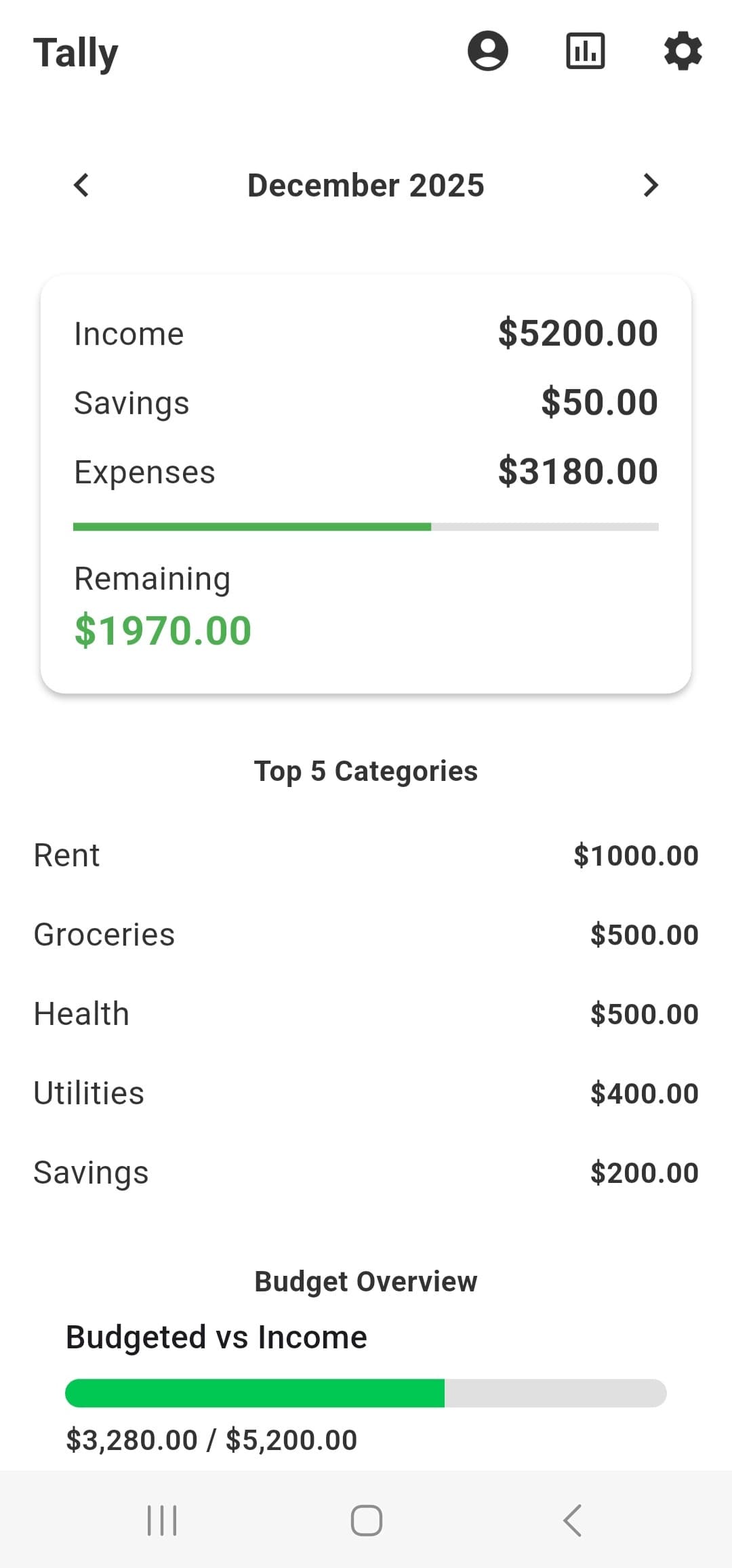
Tally's home screen keeps the most important numbers in one place: income, savings, expenses, and what's left in your budget for the month. As you add transactions, your remaining budget updates in real time.
- Monthly summary card showing Income, Savings, Expenses, and Remaining.
- Overall budget progress bar so you can see how much of your income is already budgeted or spent.
Category-based budgeting that matches real life
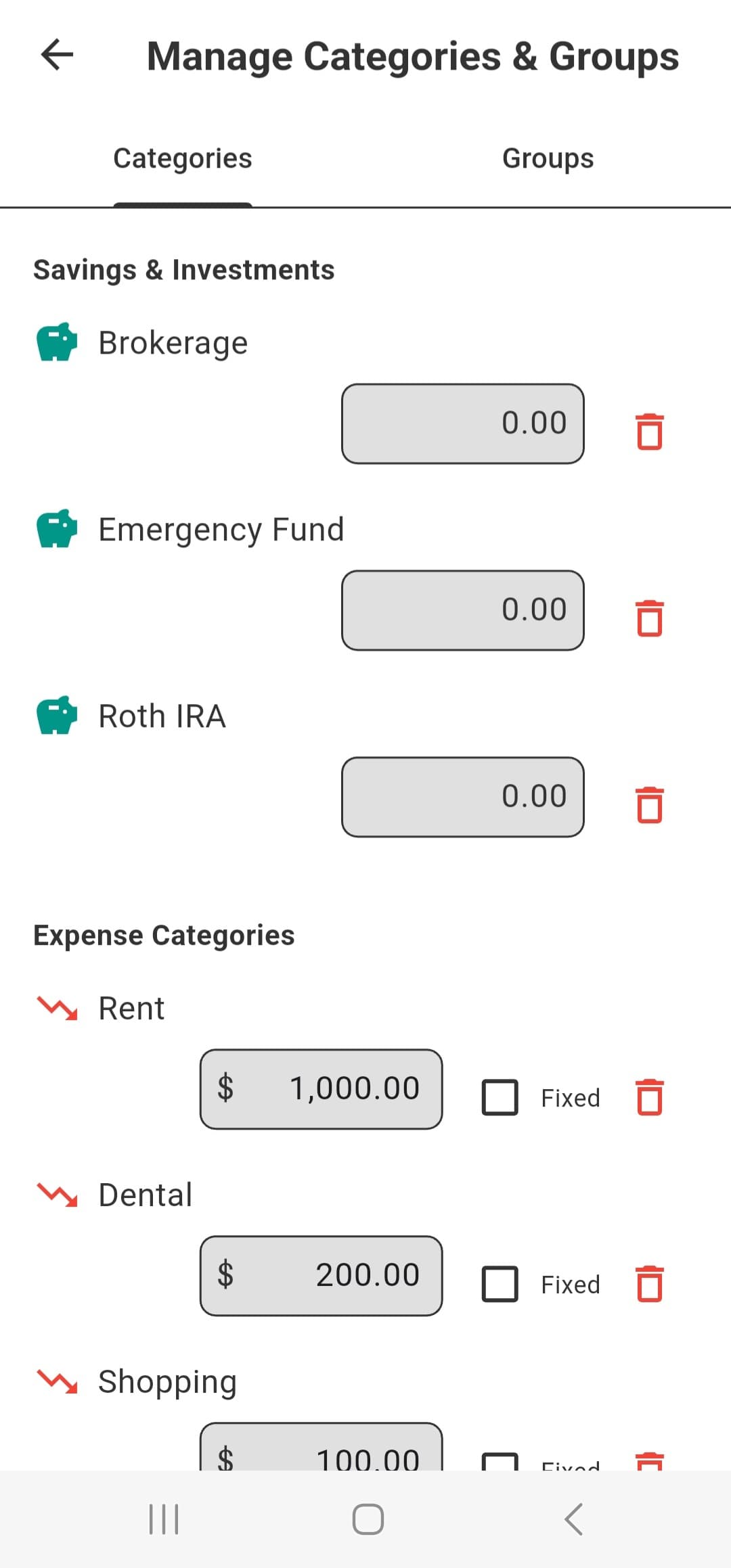
Instead of a single “spending limit,” Tally lets you create budgets for each category and category group. It's built for people who want to tell their money where to go ahead of time.
- Set monthly budgets for categories like Groceries, Restaurants, Shopping, and more.
- Group categories (for example: “Essentials,” “Fun,” “Savings”) to see how bigger areas of your life are doing.
- See how much you’ve spent and how much is left in each budget.
- Near-budget indicators so you can adjust before you overspend.
Fast, structured transaction entry
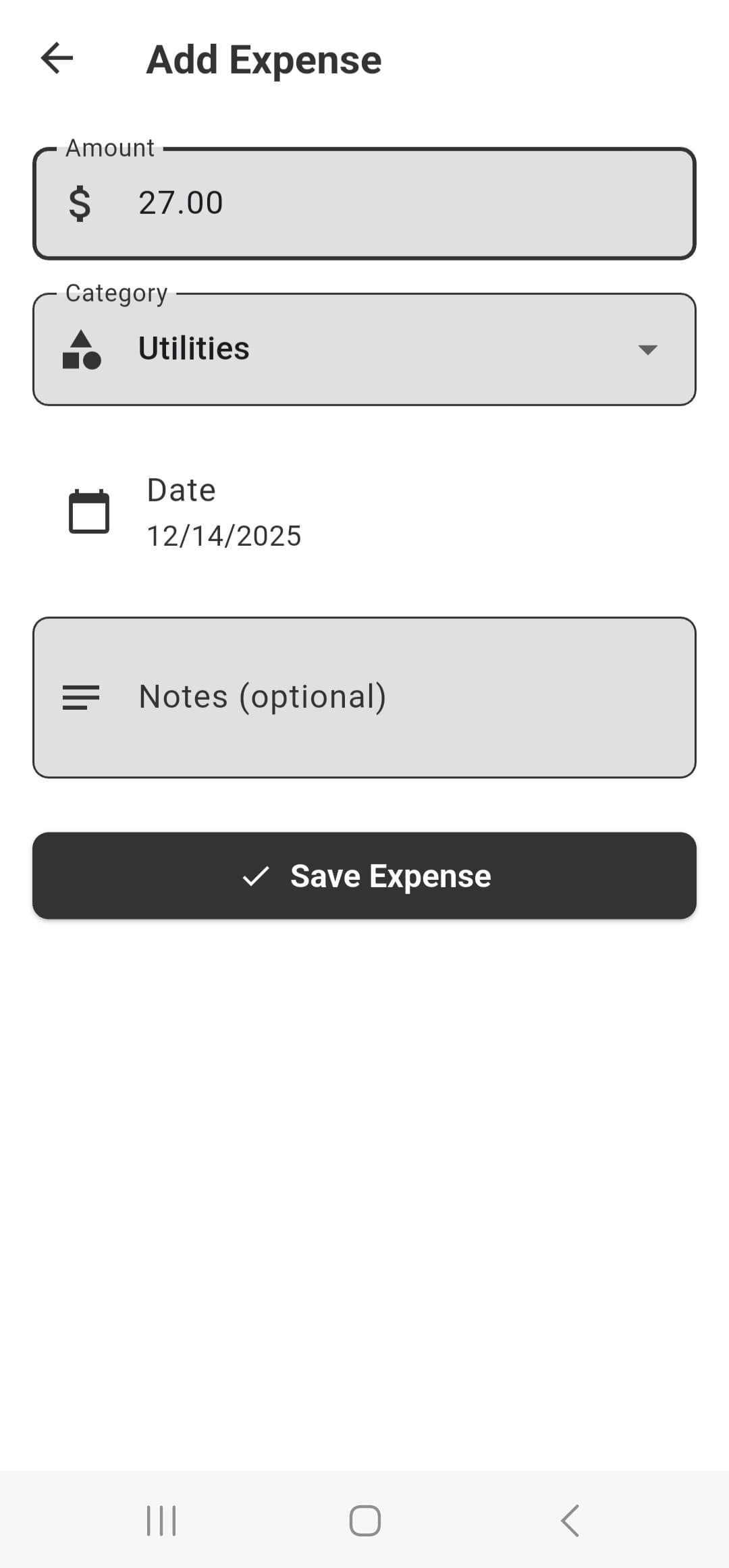
Adding a transaction in Tally is fast and structured. Every expense or income entry is tied to a category so reports and budgets stay accurate.
- Simple forms for income and expenses with date, amount, category, and notes.
- Category suggestions to help you stay consistent over time.
- Full transaction history so you can review and edit past entries.
Receipt scanning
Tally saves you time by helping you capture key details automatically, so you can log transactions faster and stay consistent.
- Receipt scanning with OCR
Local-first with optional cloud sync
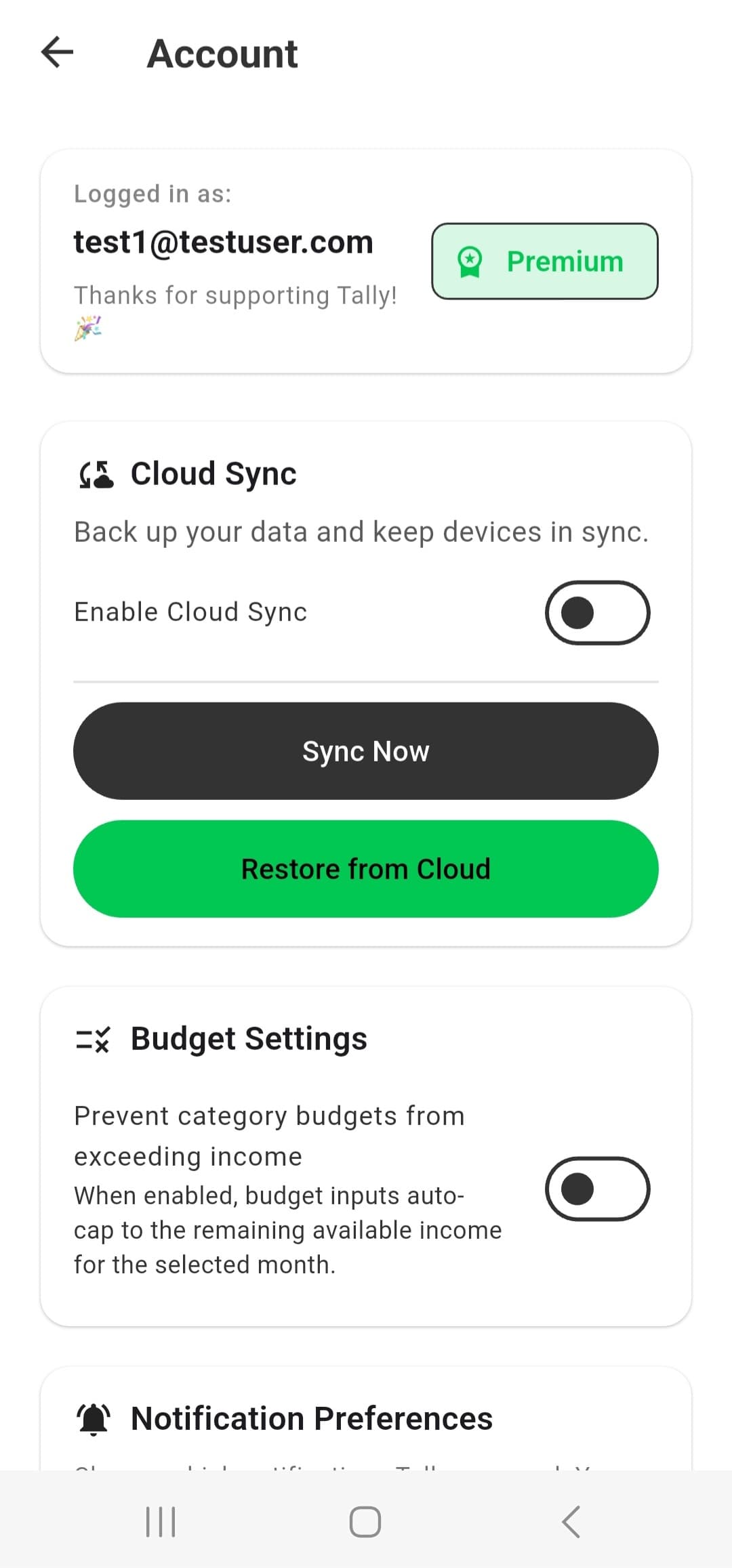
Tally starts as a fully local budgeting app — your data lives on your device. When you're ready, Tally Premium adds secure cloud sync and backup.
- Local-only mode by default: your budgeting data stays on your device.
- Tally Premium: enable cloud sync to keep data backed up and ready for future multi-device access.
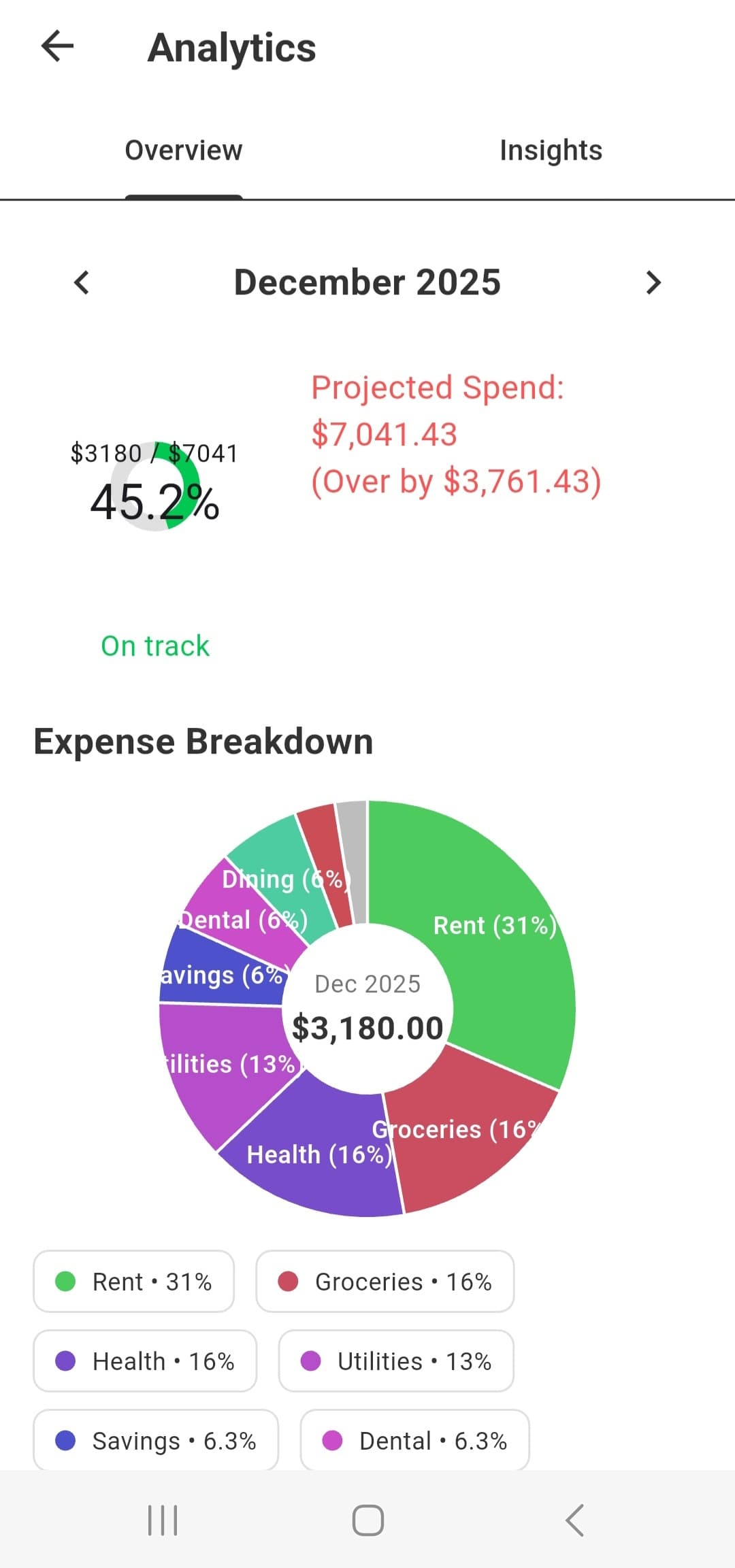
Insights that actually make sense
Tally's analytics are designed to answer practical questions: Where is my money going? Which categories are trending up? How did this month compare to last month?
- Category breakdowns so you can see where your spending is concentrated.
- Month-over-month views to spot trends and changes over time.
Built with privacy in mind
Your budgeting data is sensitive. Tally is designed to respect that — with local-first storage and encrypted sync when you choose to enable it.
- Local-only by default for maximum control over your data.
- Cloud sync (for Premium users) uses secure, encrypted storage.
- We don't sell your financial data.
Ready to give Tally a try?
Start with the free version, and upgrade to Premium when you want sync and advanced features.